PlasmidLab / Guides / Restriction cloning
Restriction cloning: choosing two enzymes
Two enzymes that leave different ends put the insert in one way round and stop the vector closing on itself. Most failed clones fail when that pair is chosen.
Ask the agent
Open both plasmids and say where the insert should end up.
Move the GFP from the pUC19 plasmid into the expression vector.
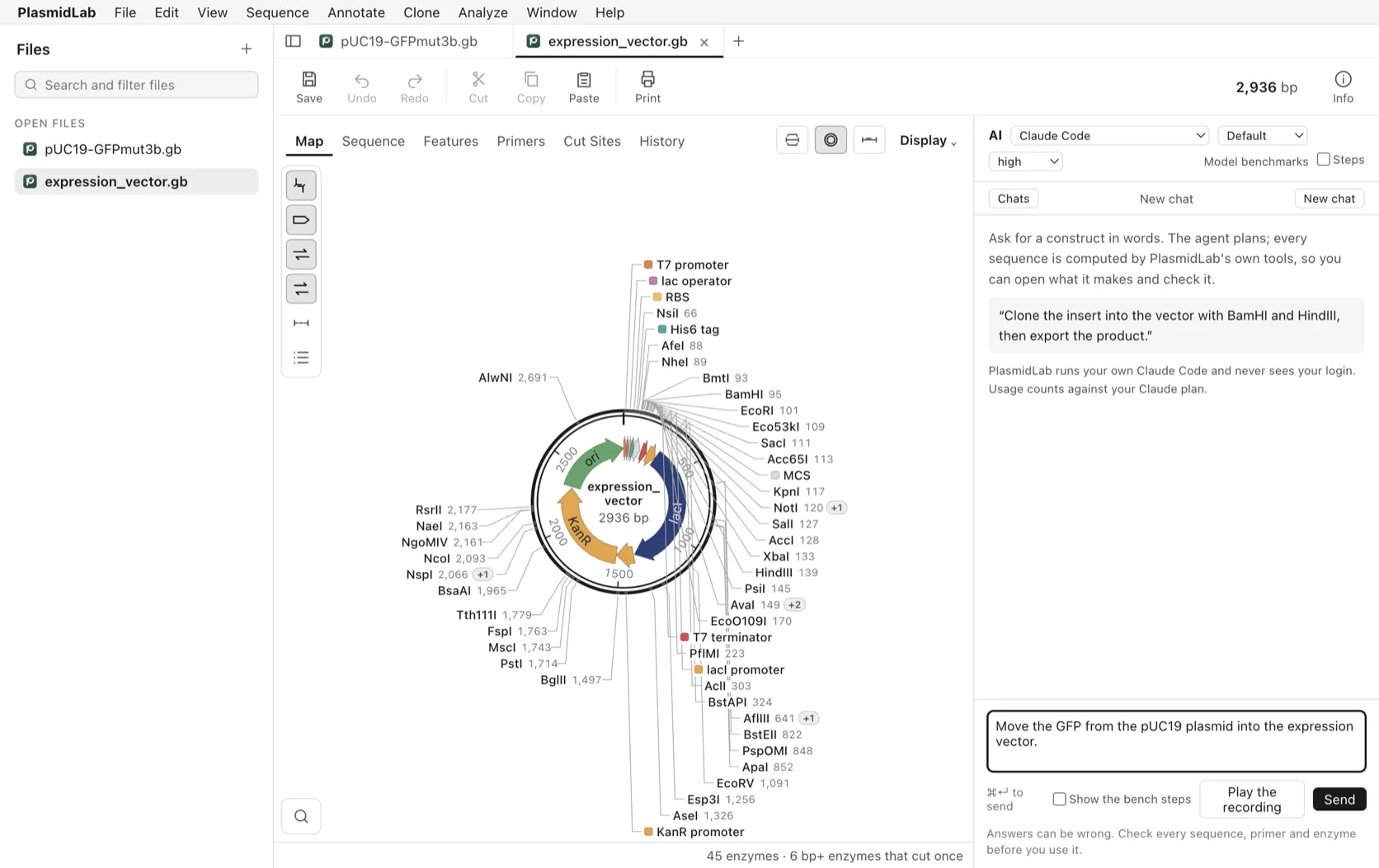
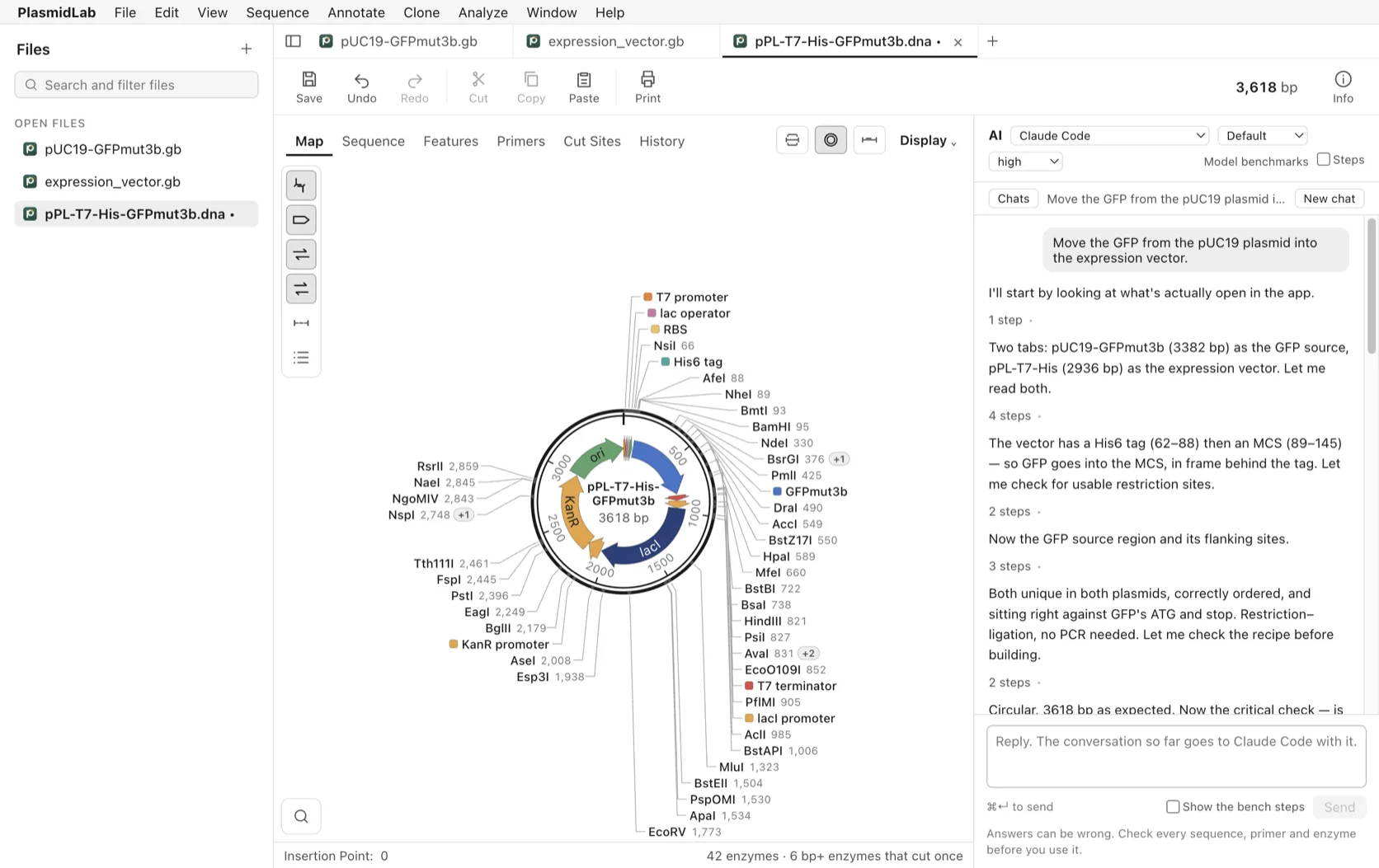
The agent read both plasmids, found the His6 tag and the cloning site behind it, and looked for enzymes that cut once in each. It picked BamHI and HindIII, which sit either side of the GFP, checked the reading frame through the tag, and made the 3,618 bp product.
Or do it yourself
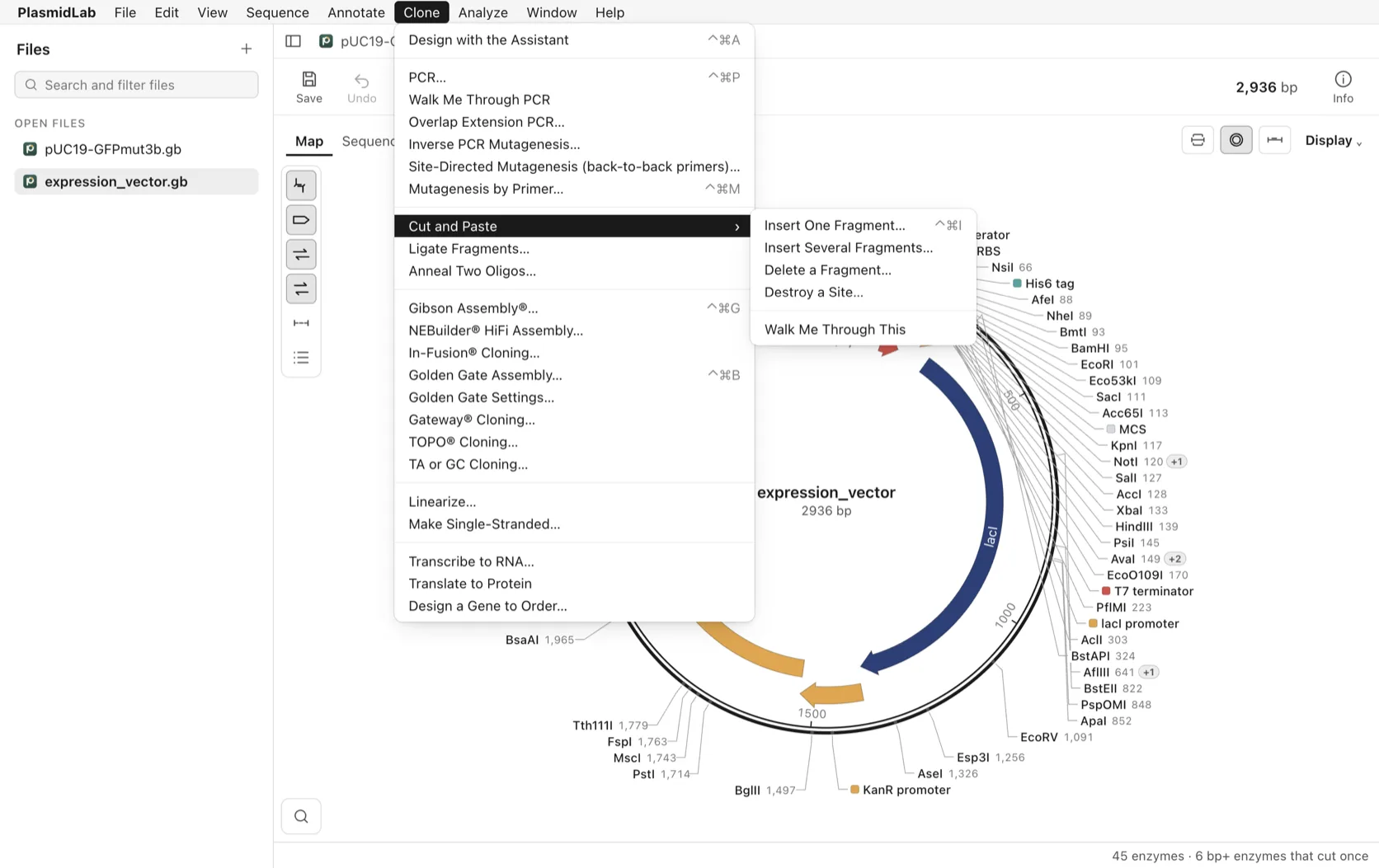
Clone > Cut and Paste > Insert One Fragment… takes a fragment from one file into the cut vector and writes the product.
Choosing the pair yourself
Open the vector and choose Analyze > Use Enzyme Set > 6 bp+ enzymes that cut once, then read the ones in the cloning site. In pUC19 (NCBI L09137) they run EcoRI 396, SacI 406, Acc65I 408, KpnI 412, XmaI 412, SmaI 414, BamHI 417, XbaI 423, SalI 429, PstI 439, SphI 445, HindIII 447, each cutting the top strand after the base shown.
Then open the insert and choose Analyze > Enzymes That Do Not Cut: both of your candidates have to be in that list. Check the two work in one buffer (your supplier publishes this, for example NEBcloner), and leave a few spare bases beyond a site that sits at the end of a PCR product, because most enzymes cut poorly there. Six is a common default when you have no number for your enzyme.
A molar ratio around 3:1 insert to vector is the usual starting point, and a vector whose two ends are compatible with each other needs dephosphorylating. Confirm colonies with a diagnostic digest; Analyze > Simulate a Gel… shows in advance whether the bands will be far enough apart.
Before you order
Read the product before you spend money on oligos: the sequence at each junction, the reading frame through a coding fusion, and the feature orientation. A design is not experimental validation, and the agent can be wrong.