How to Open .dna and GenBank Files on Mac or Windows
Open an existing plasmid in PlasmidLab to inspect its map and sequence. The editor runs on Mac and Windows and does not need an AI connection.
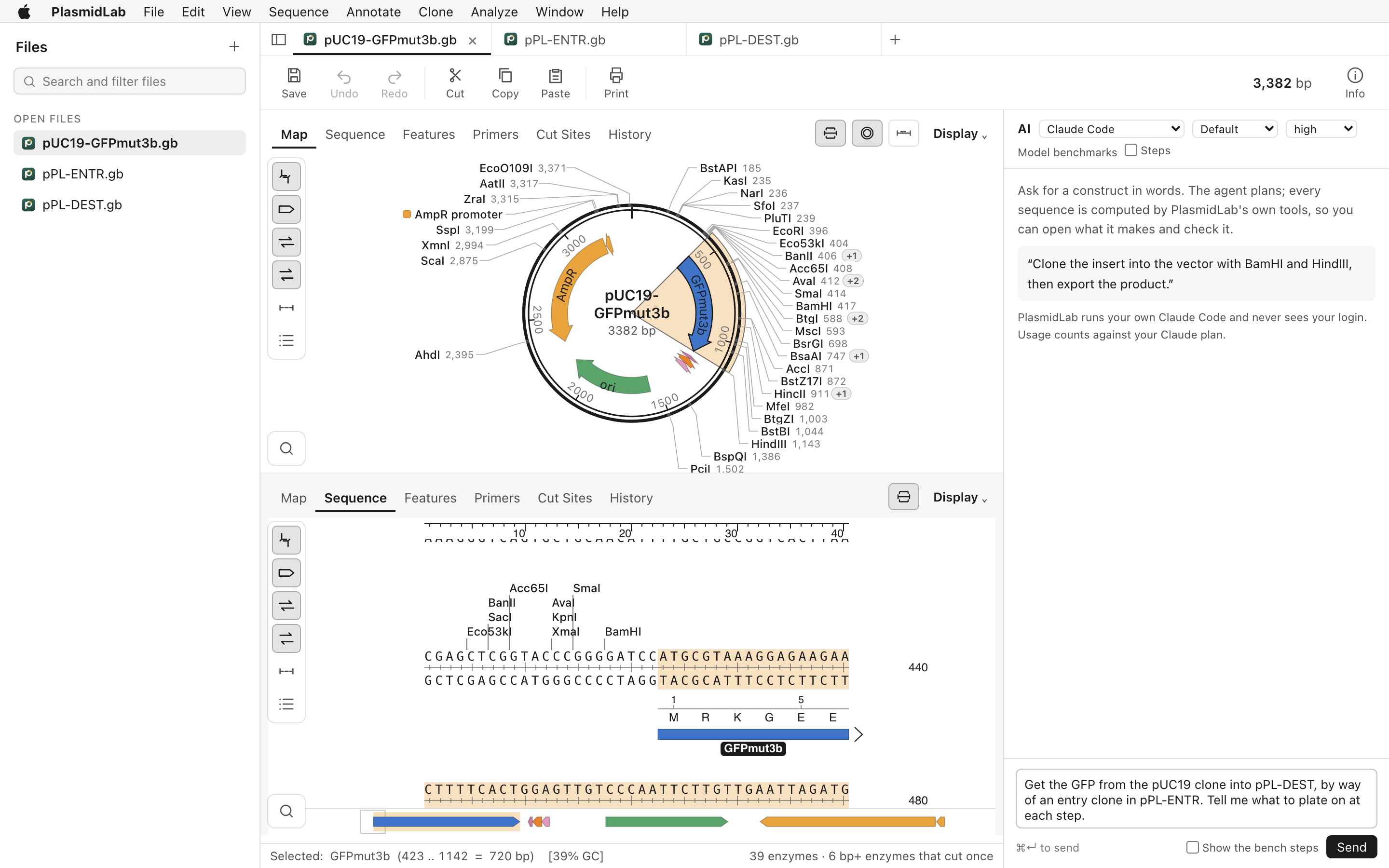
Open a sequence file
- Install PlasmidLab from the Mac or Windows download and open the app.
- Choose File > Open and select your file, or drag the file onto the app window. You can open multiple files.
- Use View > Map to inspect the plasmid map, then switch to the sequence view to check individual bases and annotations.
PlasmidLab reads and writes .dna, GenBank and FASTA files. If a GenBank file contains multiple records, each record opens in its own tab. Sequencing traces in .ab1 and .scf can also be opened.
Save and check your work
After editing, save your document in the format you need. Check the sequence, features and circular or linear topology after importing or converting a file, especially before using it for a cloning design.
If a file will not open
Check that the file contains a supported sequence format, rather than relying on the extension alone. If the app reports an unrecognized format, try obtaining a fresh export from the source program. For help, open an issue without sharing confidential sequences.