How to View a Plasmid Map from a GenBank or .dna File
A plasmid map shows the layout of a DNA construct at a glance. In PlasmidLab, open a GenBank or .dna file and inspect the map alongside the sequence.
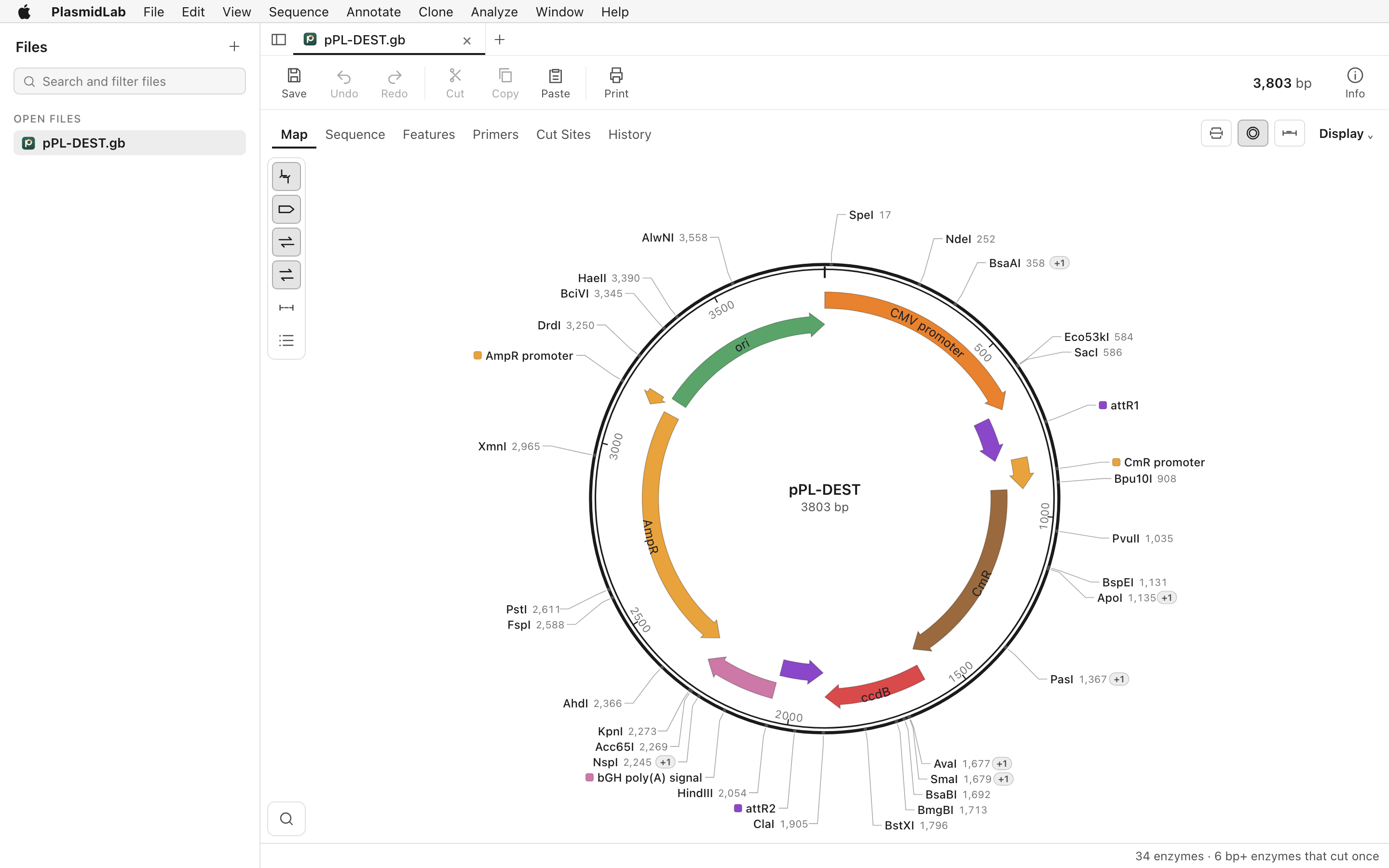
View your map
- Open the file with File > Open, or drop it onto the app window. See the file-opening guide if you need help.
- Choose View > Map. PlasmidLab displays circular and linear maps according to the document's topology.
- Inspect the annotated features, restriction enzyme sites and primer positions. Select a region on the map to examine a specific part of the sequence.
Check the sequence behind the map
Switch to sequence view to inspect the bases and annotations in more detail. A map is a representation of the file: check that the sequence, features and topology are correct, particularly after importing a file.
Export a map image
Choose File > Export > Map Image… to export an image, or use Edit > Copy Map as Image to copy it. The editor and map tools work without the AI agent.
Need to design a construct? See the Gibson assembly guide.